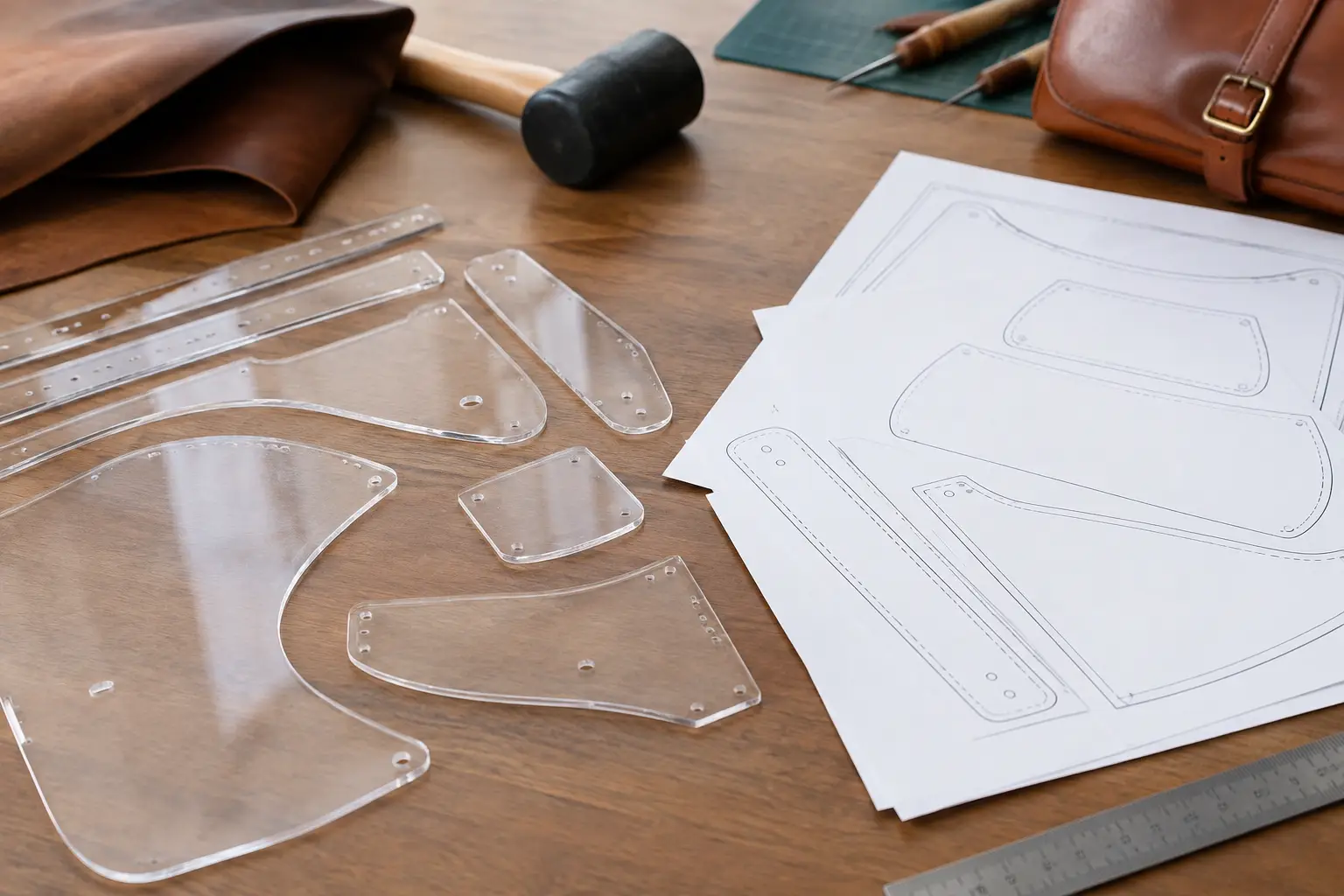
A wallet pattern can look straightforward on a screen, then ask a very practical question at the bench: how will you get those clean shapes onto leather? The choice of acrylic templates versus PDF patterns affects more than the first cut. It changes how quickly you can begin, how easily you can alter a project, how often you can rebuild it, and where you spend your budget.
Neither format is automatically better. A well-made PDF can be an excellent workshop tool, and a carefully cut acrylic template can earn a permanent place in a maker’s drawer. The right choice depends on the project, your available tools, and the way you like to work.
What an acrylic template gives you
An acrylic template is a physical, reusable pattern piece. Most are cut from clear acrylic, often with etched labels or stitch guides, and are designed to be traced around or used with a knife or scratch awl. For a maker who plans to produce the same item repeatedly, that repeatability is the main appeal.
The material holds its shape. Unlike paper or cardstock, acrylic does not soften at the corners, curl from humidity, or gradually lose accuracy after being handled through several builds. If you are making a series of card holders, coasters, key fobs, or a favorite bag design for gifts and small-batch sales, placing a rigid template on the hide can make layout feel efficient and consistent.
Clear acrylic also helps when positioning a pattern around marks, grain direction, or areas you want to avoid. You can see the leather beneath the template before committing to a cut. That is especially useful with premium leather, where a poor layout choice can cost more than the template itself.
There is a simple bench advantage, too. You take out the pieces, choose your leather, and start marking. No printer, assembly, trimming, or taping is required. For makers with limited workshop time, that convenience has real value.
Where acrylic templates ask for compromise
Acrylic is less flexible in every sense of the word. You receive the design at a fixed size and shape. If you want to lengthen a strap, change a pocket depth, reduce a wallet to fit a specific card setup, or print a project at a different scale, the rigid pieces do not adapt without additional drafting.
Cost is another consideration. A physical template generally costs more than a digital pattern because it must be manufactured, packaged, and shipped. It also takes storage space. One template is easy to keep organized; a growing collection of large bag panels is another matter.
Acrylic edges deserve care as well. Cutting directly against a template can nick or shave the edge over time, particularly if a blade is angled toward it. Many makers prefer to trace the outline with an awl or silver pen, then cut just outside the line and refine the edge afterward. This protects the template and gives the project a cleaner starting point.
Why PDF patterns work so well for many makers
A PDF pattern is a digital file you download and print at home or through a print shop. It may include full-size pattern pieces, cut lists, assembly diagrams, stitch placement notes, and written instructions. Its greatest strength is access: once the file is available, you can print the pieces when you are ready to build.
For a hobby leatherworker, PDFs make it easier to try new project types without accumulating a drawer full of physical forms. You can move from a small valet tray to a notebook cover or crossbody bag while keeping your upfront cost focused on leather, hardware, and the project itself.
A good PDF also supports learning. Instructions can explain not just which piece to cut, but when to skive, when to burnish, which edges should remain unfinished until assembly, and how layers come together. A template tells you the shape. A thoughtfully organized pattern can help you understand the build.
Digital patterns are also easier to customize. You can print another copy, preserve the original file, tape a modified version together, or use the printed shapes as a starting point for your own adjustments. That freedom is useful when you are developing your preferences rather than simply reproducing the same item.
The preparation step matters
The trade-off is that a PDF asks for some setup. You need a printer or access to one, paper, and a way to assemble multi-page pattern pieces. You may also want cardstock, chipboard, or a heavier reusable material if you plan to cut the design several times.
Printing at the correct scale is essential. Before cutting leather, check the pattern’s test square with a ruler. Printer settings such as “fit to page” can quietly change dimensions, which is frustrating to discover after hardware does not fit or a pocket layer comes up short.
Paper patterns need a little more attention during use. They can shift while tracing and wear out at corners. The practical solution is simple: print a working copy, transfer frequently used pieces to a sturdier material, and keep the original PDF safely stored for future reprints.
Acrylic templates versus PDF patterns: a bench-level comparison
The best format becomes clearer when you compare the decision points that actually affect a build.
For repeat production, acrylic usually wins. If you make the same design often, rigid pieces save preparation time and help maintain consistent dimensions. This is valuable when creating a matching set of gifts or building inventory for a small maker business.
For variety and experimentation, PDFs usually win. Digital patterns let you explore more projects for less initial expense. They are a practical fit for makers who enjoy trying different styles, learning construction methods, and gradually identifying the kinds of goods they want to make again.
For customization, PDFs have the advantage. You can alter a printed pattern with a ruler and a little planning. Acrylic templates are most useful when you want the supplied dimensions exactly as designed.
For fast starts, acrylic has the edge. When the template is already on your bench, there is very little between choosing a hide and making your first mark. A PDF can be just as reliable, but it asks for printing and checking before the leather comes out.
For long-term durability, acrylic is stronger. A physical template can withstand years of careful use. But a PDF has its own kind of permanence: if a paper copy tears, you print another. The file does not wear out.
Choosing based on the project, not the trend
A small, repeatable item often makes a strong case for acrylic. Consider a simple card holder you make every December, a popular coaster set, or a leather tag used across multiple projects. Consistency and speed may matter more than the ability to revise the design.
A more involved project often benefits from a PDF pattern with clear construction guidance. Bags, cases, organizers, and multi-layer wallets can have sequencing details that are just as important as the outlines of the pieces. The ability to read instructions, review diagrams, and print fresh copies can make the work feel more manageable.
Your current skill level matters, but it should not limit you. Beginners may appreciate a PDF’s instructions and the freedom to practice on inexpensive leather first. Experienced makers may prefer digital files because they can evaluate proportions and adapt details to their own methods. At the same time, a beginner who wants to make one straightforward item many times may find an acrylic template reassuringly direct.
A practical way to get the best of both
Many leatherworkers eventually use both formats. They begin with a well-organized PDF to understand a project, test the fit, and learn the construction. If the design becomes a regular build, they transfer the pieces to reusable material or purchase acrylic templates where that saves meaningful time.
You can create a durable middle ground without acrylic. Print a PDF at 100 percent, confirm the test square, glue the pieces to chipboard or thin plastic, and cut the reusable shapes carefully. Label each piece with the project name, quantity, and any notes about leather weight or grain direction. It takes a little effort once, then supports future builds without losing the flexibility of the original file.
The quality of the pattern matters more than the material alone. Look for clear piece labels, accurate scaling, practical cut information, and instructions that respect the order of operations. A good layout reduces uncertainty before your knife reaches the leather. That is the standard Old Line Crafts & Designs builds toward: less time guessing and more time building.
Choose the format that helps you return to the bench with confidence. A PDF may give you room to learn and adapt. Acrylic may give you a dependable shortcut for a design you already enjoy. Either way, the satisfying part is still ahead of you: turning a clean pattern into a piece of leatherwork made by your own hands.
Leave a Reply